
Azure cost · field note
Azure Advisor tells you which VM is oversized. It doesn't tell you which one is load-bearing.
A recommendation can identify spare capacity. It cannot tell you what the machine means to the business, what depends on it, or what breaks when you make it smaller.
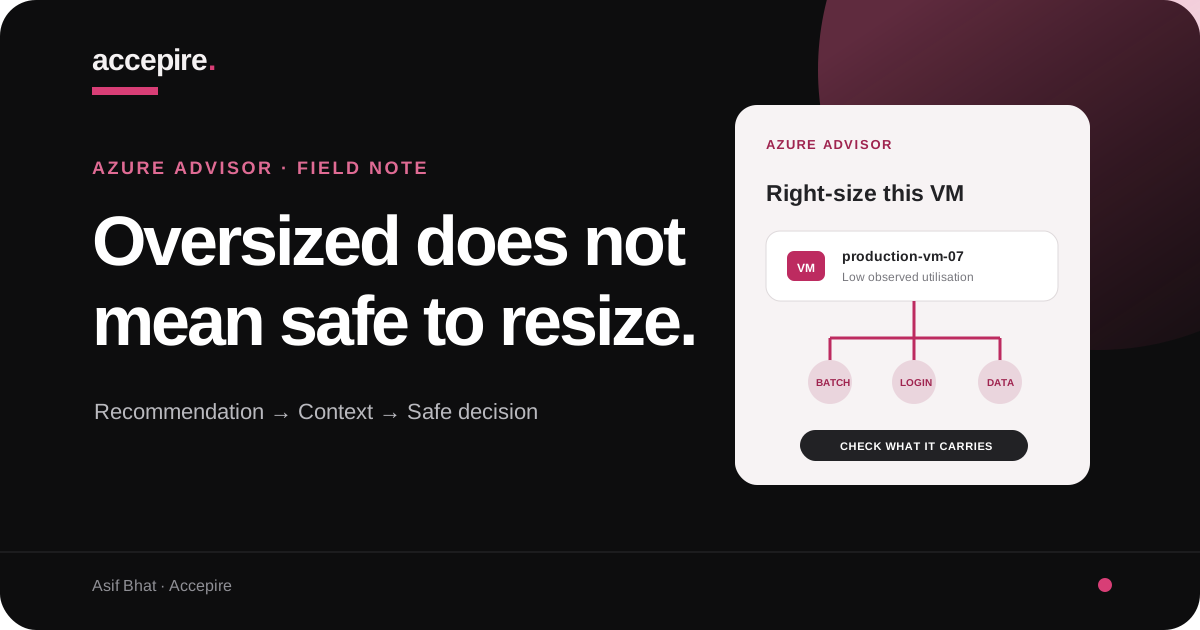
Azure Advisor is good at finding machines that look too large. The dangerous part begins when a recommendation is mistaken for permission.
You open Azure Advisor. It shows a virtual machine running at low utilisation and offers a smaller size with an estimated saving. The number is clear. The button is close. The recommendation looks like work already completed.
It is not.
Advisor has found a cost signal. It has not interviewed the person who owns the workload. It does not know that the VM handles a month-end export, carries the only copy of an old integration, absorbs a seasonal peak, or sits in a recovery path nobody has tested for eighteen months.
The recommendation tells you where to investigate. Your job is to decide whether the saving is real and the change is safe.
01
Azure Advisor may be completely right
This is not an argument against Azure Advisor. It is a useful way to surface waste at scale. A human cannot stare at every CPU chart, every day, across every subscription. Advisor can narrow the field.
But cost recommendations are built from the configuration and utilisation Azure can observe. Business responsibility is not a metric. Neither is the consequence of a bad change.
A VM at 8% average CPU may be oversized. It may also spend most of the month waiting for the two-hour workload that pays for the system. Both statements can be true.
The useful response is not “ignore the tool.” It is “complete the analysis.”
02
What “load-bearing” actually means
A load-bearing VM is not always busy. It is a machine whose failure or slowdown creates a business consequence larger than its apparent infrastructure cost.
That can mean:
- It is the only instance of a customer-facing service.
- It runs payroll, billing, reporting, or regulatory work on a schedule.
- A legacy system, vendor allowlist, fixed IP, or licence is tied to it.
- Other applications call it synchronously and fail when it slows down.
- It holds state that makes replacement slower than the architecture diagram suggests.
- It is spare recovery capacity that has never been labelled as such.
None of those facts makes an oversized VM acceptable forever. They change how you remove the waste. A safe plan may require a second instance, a dependency change, a different schedule, a licence conversation, or a tested recovery route before the size changes.
03
Read the recommendation, not just the saving
I start by recording the current size, proposed size, estimated saving, observation period, subscription, resource group, region, operating system, and recommendation date. Then I check whether the VM is covered by a reservation, Savings Plan, Azure Hybrid Benefit, or another commercial arrangement.
Why? Because a retail-rate saving is not always the saving that reaches the invoice. A resize can change commitment utilisation, software licensing, available disk and network throughput, and what other workloads now consume the unused commitment.
I want the recommendation in the same document as the current cost baseline. That prevents an attractive percentage from floating free of the money actually being paid.
Microsoft documents how Azure Advisor generates cost recommendations. Treat the output as evidence, with a timestamp and assumptions, rather than a permanent truth about the machine.
04
Average CPU is where the review starts, not where it ends
Averages flatten the moment you may care about most.
A VM can sit nearly idle for 29 days and become critical on day 30. It can have low CPU while memory pressure causes paging. It can be limited by disk latency, IOPS, network throughput, queue depth, a single-threaded process, or an application dependency outside the VM.
Look for bursts and sustained pressure, not only the monthly average.
Guest metrics must be collected; the platform cannot infer every memory constraint.
A smaller size can alter limits even when CPU headroom looks comfortable.
Infrastructure utilisation matters only in relation to the work users need completed.
The observation window must include the business cycle. Fourteen days can be enough for a steady API. It is useless for a quarterly reporting server if the quarter-end run is not inside those fourteen days.
05
Find the person who knows why the VM exists
Tags help. Names help. Architecture diagrams help. None replaces a conversation with the workload owner.
I ask five questions:
- What business process stops if this VM is unavailable?
- When does it experience its real peak?
- Is there another healthy instance or a tested recovery route?
- Which systems connect to it, and how will they behave during a restart?
- Who can confirm that the change worked?
If nobody can answer, the risk has not disappeared. It has become undocumented. That may be the strongest reason to investigate before touching the machine.
06
Map what the VM carries before you make it smaller
The resource name rarely tells the full story. Check attached disks, extensions, backup, monitoring, availability configuration, network interfaces, load balancers, DNS, private endpoints, scheduled tasks, licences, and inbound or outbound allowlists.
Then write the failure mode in plain language. Not “potential service degradation.” Write: “The 06:00 invoice batch may miss its bank cut-off,” or “There is no second node, so customers cannot sign in during the restart.”
That sentence changes the quality of the decision. It tells you who must approve the work, when it can happen, what must be observed, and what rollback actually means.
This resource-by-resource context is how the Magrid Azure cost reduction work removed roughly EUR 3,000 from an approximately EUR 4,500 monthly baseline without breaking production. Their CTO could explain what each resource did. The team changed the environment after the workload was understood.
07
Turn the recommendation into a reversible change
Once the evidence supports a resize, define the change before scheduling it.
- a named owner and approver;
- the target size checked for region, quota, and feature compatibility;
- a maintenance window and expected restart impact;
- baseline metrics and acceptance thresholds;
- a tested route back to the previous size;
- someone watching the workload after the change.
Test in non-production where the environment is representative. If production is the only place the workload can be proved, reduce the blast radius: change one instance, keep capacity elsewhere, watch the business transaction, and make rollback quick.
If the recommendation exposes dependencies that must be fixed first, that work belongs in a scoped Azure remediation, not in an impulsive cost-cleanup session.
08
Verify the saving and the system
After the resize, watch the same metrics used to justify it. Compare response time, error rate, queue depth, CPU, memory, disk, and network behaviour across a representative period. Confirm the scheduled job, month-end process, or traffic peak still completes inside its real requirement.
Then verify the bill. Check that the resource cost moved as expected and that commitment utilisation or another service did not absorb the difference.
A successful rightsizing change has two outcomes: Azure costs less, and the workload still does its job. If you cannot show both, the work is unfinished. Only after that new baseline is stable should you decide how much to commit; buying Azure Reservations before rightsizing can lock in the overspend.
The distinction that matters
Azure Advisor finds candidates. Engineers approve consequences.
Use the recommendation to decide where to look. Use workload evidence to decide what to do.
The VM may be oversized. It may also be load-bearing. Your cost process needs to be able to hold both facts at the same time.
Questions teams ask
Azure Advisor and VM rightsizing FAQ
Is it safe to resize a VM because Azure Advisor recommends it?
Not automatically. Treat the recommendation as a lead. Confirm the workload, dependencies, representative CPU and memory demand, disk and network pressure, peak events, availability requirements, and rollback path before changing the VM size.
What does Azure Advisor mean when it says a VM is underutilized?
Azure Advisor uses observed utilisation and configuration data to identify potential savings. The recommendation means the VM appears to have more provisioned capacity than its recent workload used. It does not prove that the observation window included every business peak or that a smaller VM will satisfy every dependency.
Which metrics should I check before rightsizing an Azure VM?
Check CPU peaks and percentiles, available memory when collected, disk IOPS and latency, network throughput, application response time, queue depth, restarts, and workload-specific signals. Use a period that includes month-end, reporting, batch, seasonal, or failover events relevant to that VM.
Will resizing an Azure VM cause downtime?
It can. Some resize operations restart the VM, and moving to a size unavailable on the current hardware cluster can require deallocation. Confirm size availability, capacity, maintenance impact, and rollback steps before scheduling a production resize.
Should I buy a reservation before or after rightsizing a VM?
Rightsize first, validate the new operating baseline, and then evaluate the commitment. Buying a reservation for an oversized VM can lock part of the overspend into a longer term.