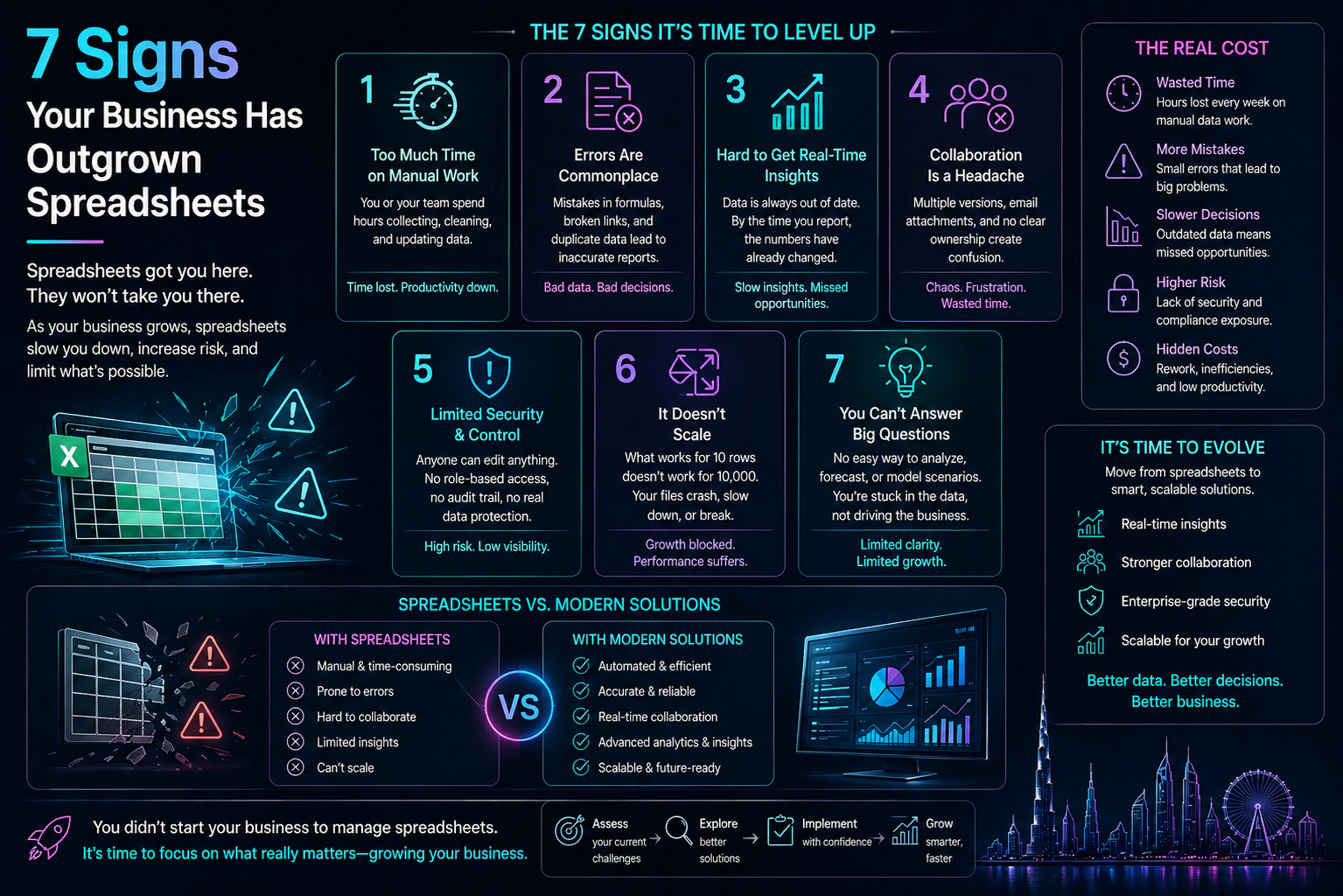
The Spreadsheet Trap
Every spreadsheet starts innocent. A simple tracker. A quick calculation. A temporary solution until you "find a real tool."
Fast forward two years. That spreadsheet now has 47 tabs, VBA macros that nobody understands, and a formula in cell AZ4732 that somehow controls everything. Three people "sort of" know how it works. One of them is leaving next month.
This is the spreadsheet trap. And if any of this sounds familiar, you're not alone-we've helped multiple businesses escape it.
7 Warning Signs You've Outgrown Spreadsheets
1. Multiple People Edit the Same File
"Who deleted row 847?" "Why did the totals change?" "Which version is correct?" When multiple people need to edit the same data, spreadsheets become a coordination nightmare. Real databases have proper access controls, audit logs, and concurrent editing without conflicts.
2. You've Lost Data (Or Almost Did)
Someone accidentally sorted column A without selecting the whole sheet. A formula got overwritten. The file corrupted. If you've had a near-miss (or actual loss), it's a sign your data is too important for spreadsheets.
3. Reporting Takes Hours Instead of Minutes
The monthly report requires copying data from five spreadsheets, running pivot tables, fixing broken links, and hoping nothing changed since you started. If reporting is a dreaded ritual, you need automated reporting.
4. You're Manually Entering the Same Data Twice
Data in the CRM needs to go into the tracking spreadsheet. Orders from the website get typed into the inventory sheet. Manual data entry is slow, error-prone, and a massive waste of skilled employees' time.
5. The Spreadsheet Has Become a Person's Full-Time Job
If someone spends significant time maintaining, updating, or fixing the spreadsheet rather than using it for analysis, you're paying a spreadsheet tax. That person's time should be spent on actual work.
6. You Can't Answer Simple Questions Quickly
"How many orders did we process last month?" "What's our average deal size by region?" If answering basic business questions requires 30 minutes of spreadsheet archaeology, your data isn't serving you.
7. Security and Compliance Are Concerns
Spreadsheets have no access controls beyond "who has the file." No audit trail of who changed what. No encryption at rest. If you handle sensitive data-customer information, financial records, health data-spreadsheets are a liability.
What Happens If You Don't Migrate
Businesses often delay migration because "the spreadsheet works for now." Here's what that delay actually costs:
The Hidden Costs of Spreadsheet Dependency
- Time Tax: Hours per week spent on manual data entry, error correction, and reporting
- Error Cost: Decisions made on wrong data because of formula errors or stale information
- Key Person Risk: When the "spreadsheet person" leaves, so does institutional knowledge
- Opportunity Cost: Can't scale, can't integrate, can't automate
- Compliance Risk: No audit trail, no access controls, potential regulatory violations
Your Options: Database vs Off-the-Shelf vs Custom
Option 1: Database + Dashboard (Simplest)
Cost: $5,000 - $15,000
Timeline: 2-4 weeks
Best for: Simple data tracking with basic reporting needs
Move your data to a proper database (like Airtable or a simple PostgreSQL setup) with a dashboard tool (like Metabase or Retool). You get proper data integrity, multi-user access, and automated reports without building custom software.
Option 2: Off-the-Shelf Software
Cost: $200 - $2,000/month
Timeline: 1-2 months for implementation
Best for: Standard business processes (CRM, inventory, project management)
If your workflow is fairly standard, an off-the-shelf SaaS might work. HubSpot for sales, Monday for projects, QuickBooks for finance. The catch: you adapt to the software's way of working.
Option 3: Custom Software
Cost: $25,000 - $100,000
Timeline: 2-4 months
Best for: Unique workflows, competitive advantage, complex integrations
When your process IS your competitive advantage, or when off-the-shelf tools don't fit, custom software pays for itself. You get exactly what you need, integrations that actually work, and a system that grows with you.
Case Study: From Excel to Automated ESG Tracking
One of our clients, a luxury hotel chain, was tracking waste and recycling compliance across 12 properties using spreadsheets. The sustainability director spent 40 hours per month manually compiling reports from hauler invoices.
Before
- • Manual spreadsheets across 12 properties
- • 40 hours/month on reporting
- • Unverifiable data from haulers
- • Audit anxiety every quarter
After (AxiomFlow Implementation)
- • QR-based tracking with verified chain of custody
- • Automated report generation
- • 100% audit-ready compliance
- • 22% cost savings from identifying vendor issues
The system paid for itself in 6 months through time savings and the cost reduction from switching to a verified vendor.
Ready to Escape the Spreadsheet Trap?
Book a free consultation. We'll assess your current spreadsheet workflows and recommend the right path forward-whether that's a simple database, off-the-shelf software, or a custom solution.
Book Your Free Consultation →
Moving off spreadsheets usually means moving onto a cloud platform. If that platform is Azure, an Azure Cost & Reliability Audit keeps the new operating cost honest from the start.